Free Chrome Extension

Every photo editor gives you a square.
This one gives you a perfect circle.

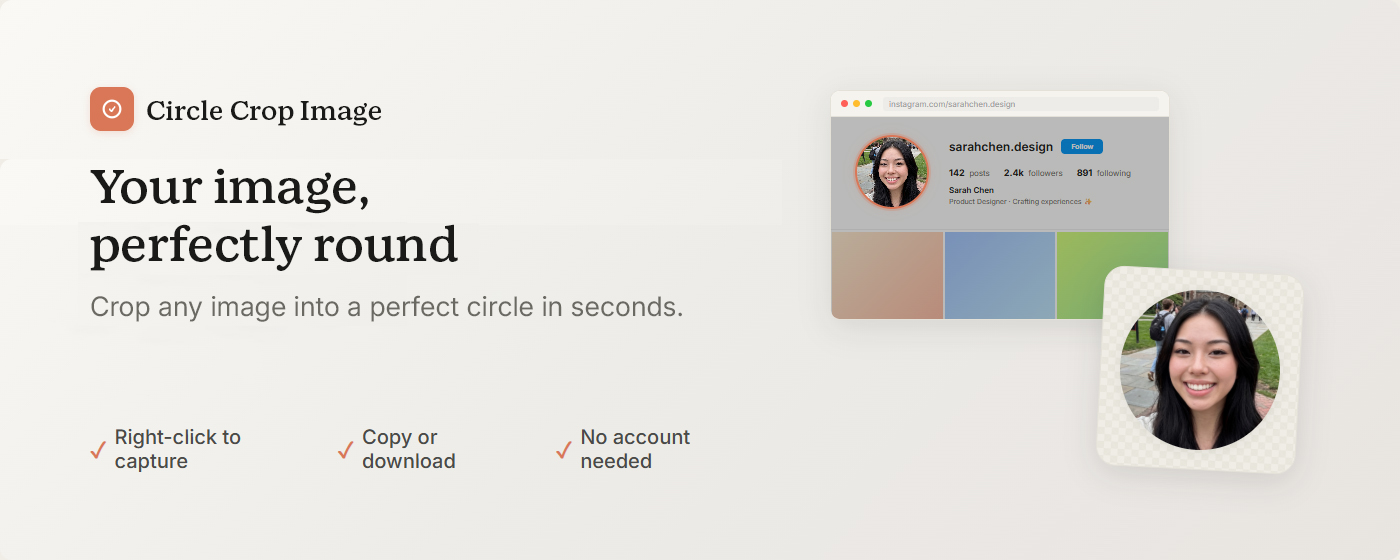
Circle Crop Image crops any photo into a perfect circle in seconds — and captures circular screenshots from any webpage. Transparent PNG download, ready to use. No more opening Photoshop. No more uploading to a crop website.

✦ Free · No signup required · Your images stay on your device

Circle Crop Image — crop any photo into a perfect circle and download a transparent PNG. Free Chrome extension, also captures circular screenshots from any webpage.

Sound familiar?

You just need a round profile picture. Why is this so hard?

🟥

Every upload gets auto-cropped

Most platforms show avatars in a round frame and crop whatever you upload — often cutting off exactly the part you wanted to keep.

😤

Five minutes in Photoshop for one circle

Open the app, figure out the circular crop, get it to save without a background. All for one round image you needed in three seconds.

🌐

Uploading to some random website

Find a circle crop site, upload your image to a stranger's server, wait, download. Every time you need a circle.

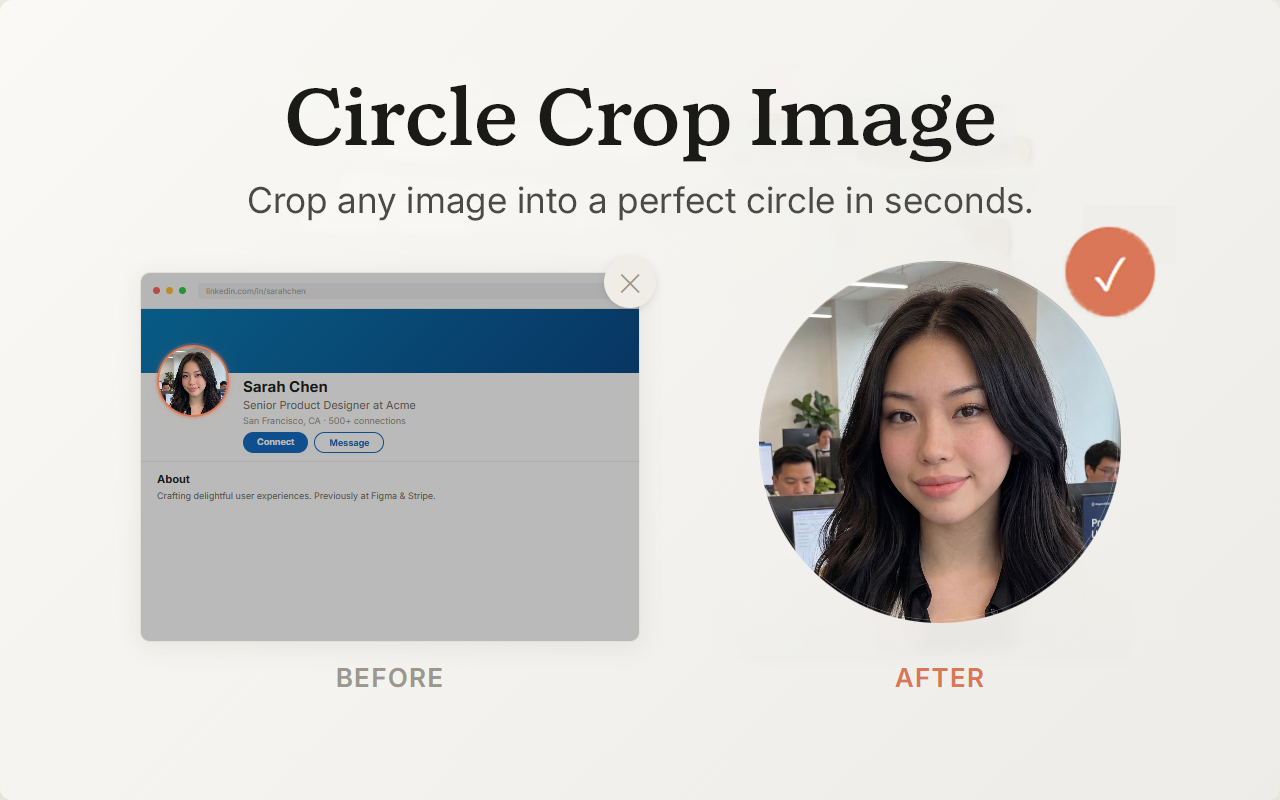
Before and after — a square photo versus the same photo cropped into a perfect circle with a transparent PNG background.

Drag, adjust, done

Three steps to a round profile picture. No signup required. No image editor. Just circles.

1

Drop in your photo

Upload, paste, or drag any image into the cropper — JPG, PNG, WEBP, and other common image formats. A circular frame appears over it instantly.

2

Adjust until it looks right

Move your circle, resize the edges, take your time. No rush, no starting over — just adjust until it's exactly what you want.

3

Download or copy

Save as a transparent PNG or copy straight to your clipboard. Your round image is ready to use — no background, no editing needed.

Two modes, one extension

A circle image cropper and circular screenshot tool in one. Crop uploaded photos into circles. Capture circles from live webpages. Both in Chrome, both private.

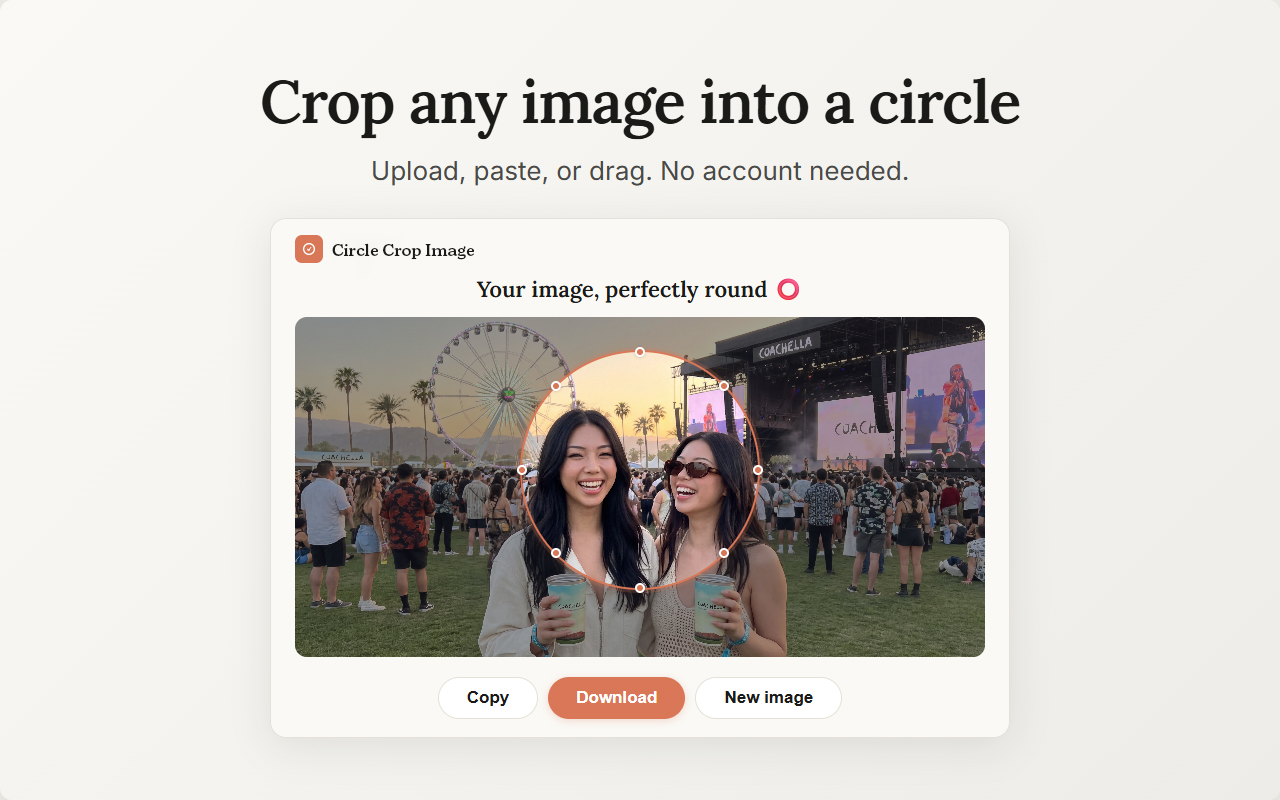
Crop any image into a circle — Circle Crop Image crop mode showing a photo being cropped into a perfect circle with transparent background, no Photoshop needed

Crop any image into a circle

Upload, paste, or drag any image into the built-in cropper. Position your circle, adjust the size, and save — full quality, transparent background, without leaving your browser.

Capture circular screenshots

Pick any part of any webpage and capture it as a circle. A screen capture tool for Chrome that dims everything outside your selection so you see exactly what you're getting — then download or copy.

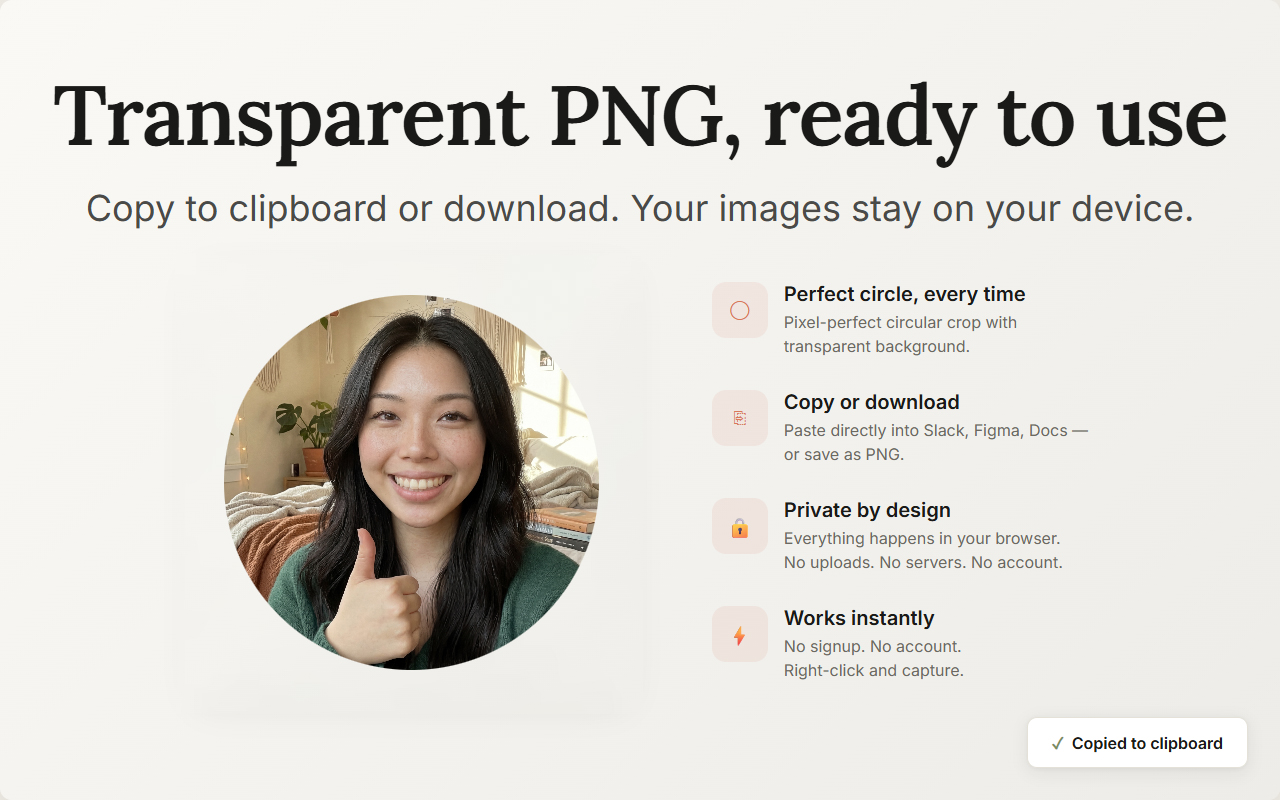
Transparent PNG output

Your circles save as PNGs with a transparent background. No white box, no colored fill, no watermark — just your circle, full resolution, ready to place wherever you need it.

Copy to clipboard

Paste your circle straight into Slides, Figma, email — anything that takes images. No downloading, no re-uploading. Crop, copy, paste.

Right-click to capture

Your circle capture lives in the right-click menu — no popup, no toolbar. Start capturing from the page you're already on. Or press Ctrl+Shift+O.

100% local and private

Your images never leave your device. Everything is processed locally in your browser — no uploads, no servers, no tracking. Free to use, no account needed. Your photos, your images, always yours.

Built for anyone who needs a circle

If you've ever needed a round profile picture and your photo editor only gave you a square, this is for you.

📱

Social Media & Marketing

Round profile pictures and circle PFPs for Instagram, Facebook, LinkedIn, Discord, Slack, and YouTube

🎨

Design & Presentations

Circular headshots and round UI assets for Notion, Canva, Figma, slides, and decks

👤

Anyone

Need a round image without opening an image editor? This is it.

Frequently asked questions

Everything you need to know about Circle Crop Image.

Circle Crop Image is a free Chrome extension that crops any photo into a perfect circle in seconds. It exports transparent PNGs with no background — ready to use as profile pictures, avatars, thumbnails, or anywhere you need a round image. It also captures circular screenshots from any webpage.

Open Circle Crop Image, upload, paste, or drag in any image, position the circle over the area you want, and click Download or Copy. The circular crop exports at full resolution with a transparent background. No Photoshop, no separate website — just a free circle image cropper inside Chrome. The fastest way to crop a photo into a circle.

Upload your photo, drag the circular frame over the part you want to keep, and download it as a transparent PNG. Because you choose the framing, nothing gets auto-cropped away. Use it for a round profile picture on Instagram, Facebook, LinkedIn, Discord, Slack, or YouTube — or as a matching circle PFP across all of them.

Yes. Right-click any webpage and select "Capture a circle screenshot." Drag to draw your circle, adjust the size and position with handles, then click Download or Copy. Your circular screenshot saves as a transparent PNG — no image editor needed.

Yes — Circle Crop Image is free with 3 circle crops per day. The free tier includes all features: crop mode, capture mode, transparent PNG, clipboard copy, full resolution. Pro removes the daily limit — $2.99/month or $12.99 for lifetime access.

100%. Circle Crop Image processes everything locally in your browser. Your images never leave your device — nothing is uploaded, nothing is tracked. No account is required. Payment is processed securely by Stripe. Your photos and crops are yours alone.

Yes — that's the point. Circle Crop Image replaces the need for Photoshop, Canva, or any circle crop website. Crop uploaded photos into circles, or capture circles directly from webpages — all inside Chrome, in seconds, with no image editor required. The simplest round profile picture maker you'll find.

Circle Crop Image exports as transparent PNG — your circular image has no background. This means you can place it on any colored background, any slide, any design, and the circle blends naturally. No white box, no colored fill. Full resolution, no quality loss, no watermark. It works with JPG, PNG, WEBP, and other common image formats as input.

Yes. Click Copy instead of Download and your circular image is on your clipboard — paste it directly into Google Slides, Notion, Figma, Canva, email, Slack, or any tool that accepts images. No file download needed. Crop, copy, paste — three seconds.

Transparent PNG circle crop with no background — ready to copy to clipboard or download. No watermark, full resolution, private.

Your photos, perfectly round

Crop any image into a perfect circle in seconds. Capture circle screenshots from any webpage. Transparent PNG, one click, always private. One browser extension, two modes, zero hassle.

Add Circle Crop Image to Chrome — It's Free

Privacy Policy

Effective Date: July 2025

1. Introduction

Circle Crop Image ("the extension") is an image cropping and circular screenshot Chrome extension. Your privacy matters. This policy explains what information we collect, how we use it, and what choices you have.

2. Information We Collect

We collect the minimum information necessary:

a) Locally Stored Data

All your screenshots, crops, preferences, and usage counters are stored locally on your device using Chrome's built-in storage API (chrome.storage.local). This data never leaves your device. We have no access to it. If you uninstall the extension, this data is automatically deleted.

b) Personal Information (Pro Upgrade Only)

If you purchase a Pro license, we collect your email address to process the transaction and manage your license. This is the only personal information we collect.

c) Anonymous Usage Analytics

We collect anonymous, non-personally-identifiable funnel events to understand feature usage and improve the extension. This does not include any personal information, image content, or browsing activity.

3. Information We Do Not Collect

  • We do not collect or access your browsing history
  • We do not see, access, or transmit your screenshots or images
  • We do not use cookies or tracking technologies
  • We do not track you across websites
  • We do not sell, trade, or rent your personal information
  • We do not use your data for advertising

4. How We Use Your Information

  • Email address: To process your Pro license purchase and manage your license
  • Anonymous analytics: To understand feature usage patterns and improve the extension

5. Third-Party Services

Stripe, Inc. — We use Stripe to process payments. When you purchase a Pro license, your email address is sent to Stripe. Card details are collected directly by Stripe through their secure checkout page and never touch our servers. See Stripe's Privacy Policy.

Our backend API is hosted by Railway. Data transmitted to our API (license validation, anonymous analytics) is sent over HTTPS encryption.

6. Extension Permissions

  • activeTab: Used to capture the visible area of the current tab when you initiate a circle screenshot
  • scripting: Required to inject the circle selection overlay onto the current page
  • storage: Stores your preferences and usage counters locally on your device
  • contextMenus: Enables right-click access to capture and crop functions
  • clipboardWrite: Allows copying your circular screenshot to the clipboard

7. Data Security

All data transmitted between the extension and our backend API is encrypted using HTTPS/TLS. Payment processing is handled by Stripe's PCI-compliant infrastructure. Your image data is processed locally and never transmitted anywhere.

8. Data Retention

  • Local data: Persists until you delete it or uninstall the extension
  • Email and transaction records: Retained as required by tax regulations (typically 7 years)
  • Anonymous analytics: Retained in aggregate form with no personally identifiable information

9. Your Rights

You have the right to access, request deletion, or request portability of your personal data. To exercise these rights, contact us at the email below.

10. GDPR (European Users)

Legal basis: Contract performance (payment processing); Legitimate interest (anonymous analytics); Legal obligation (tax records). Data is transferred under Standard Contractual Clauses and the EU-US Data Privacy Framework. You may lodge a complaint with your local supervisory authority.

11. CCPA (California Residents)

Categories collected: Identifiers (email), commercial information (purchase history). We do not sell your personal information. You have the right to know, request deletion, and opt out.

12. Children's Privacy

Circle Crop Image is not directed at children under 13. We do not knowingly collect personal information from children under 13.

13. Chrome Web Store Compliance

Circle Crop Image's use of information received from Google APIs adheres to the Chrome Web Store User Data Policy, including the Limited Use requirements.

14. Changes to This Policy

We may update this policy from time to time. Changes will be reflected by updating the effective date. Continued use of the extension constitutes acceptance of the updated policy.

15. Contact Us

If you have questions about this Privacy Policy, contact us at:

Email: [email protected]